
Spending patterns
Spending patterns looks at your everyday purchases for the weekday, the time of day, the places and the habits that shape them. It needs about three weeks of history and 20 everyday purchases before it says anything.
Steps
Tap Insights, then the Spending patterns row at the bottom.
Pick a window with the chips: 30 days, 90 days (the default) or 6 months.
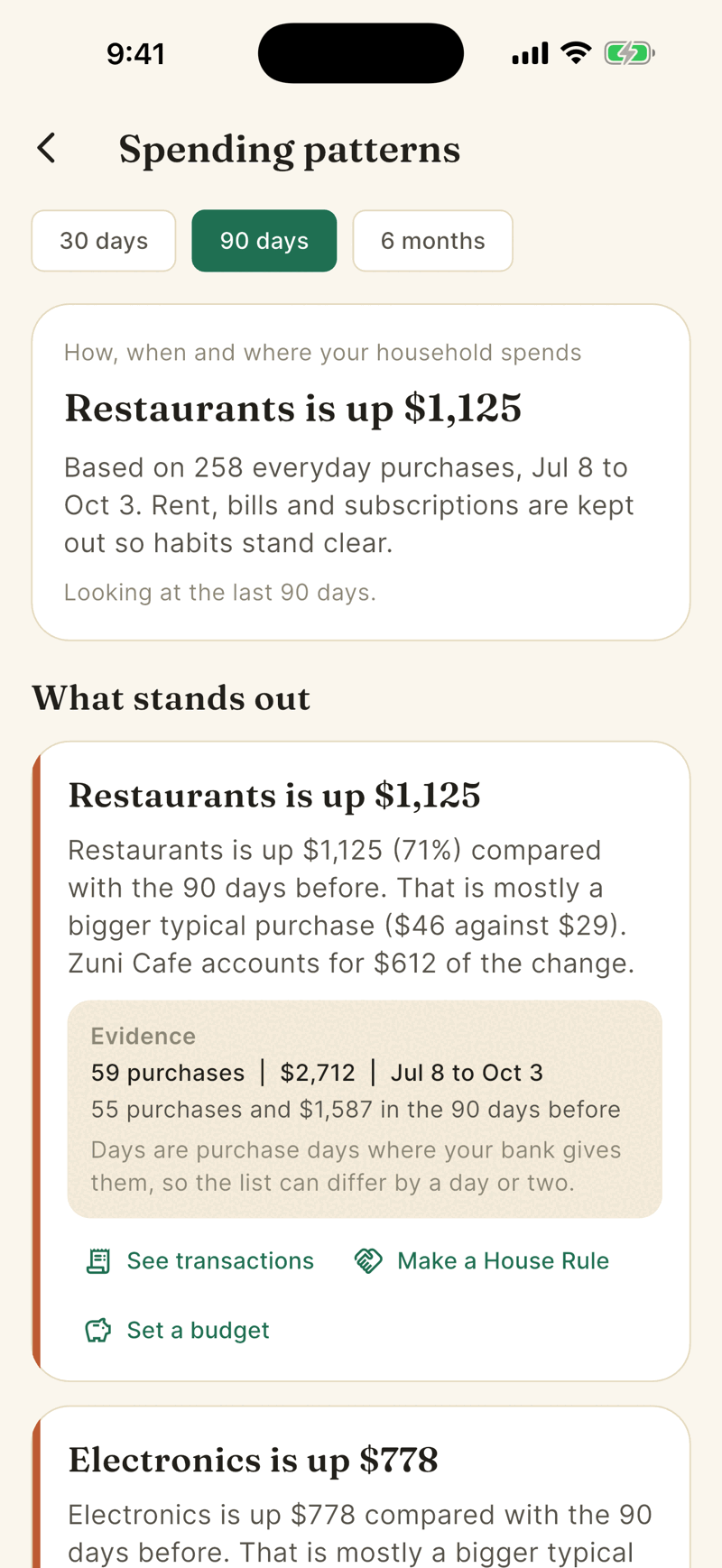
Read What stands out first. These are up to 8 findings, strongest first. Each one has an Evidence box with the number of purchases, the dollar total and the date range behind it.
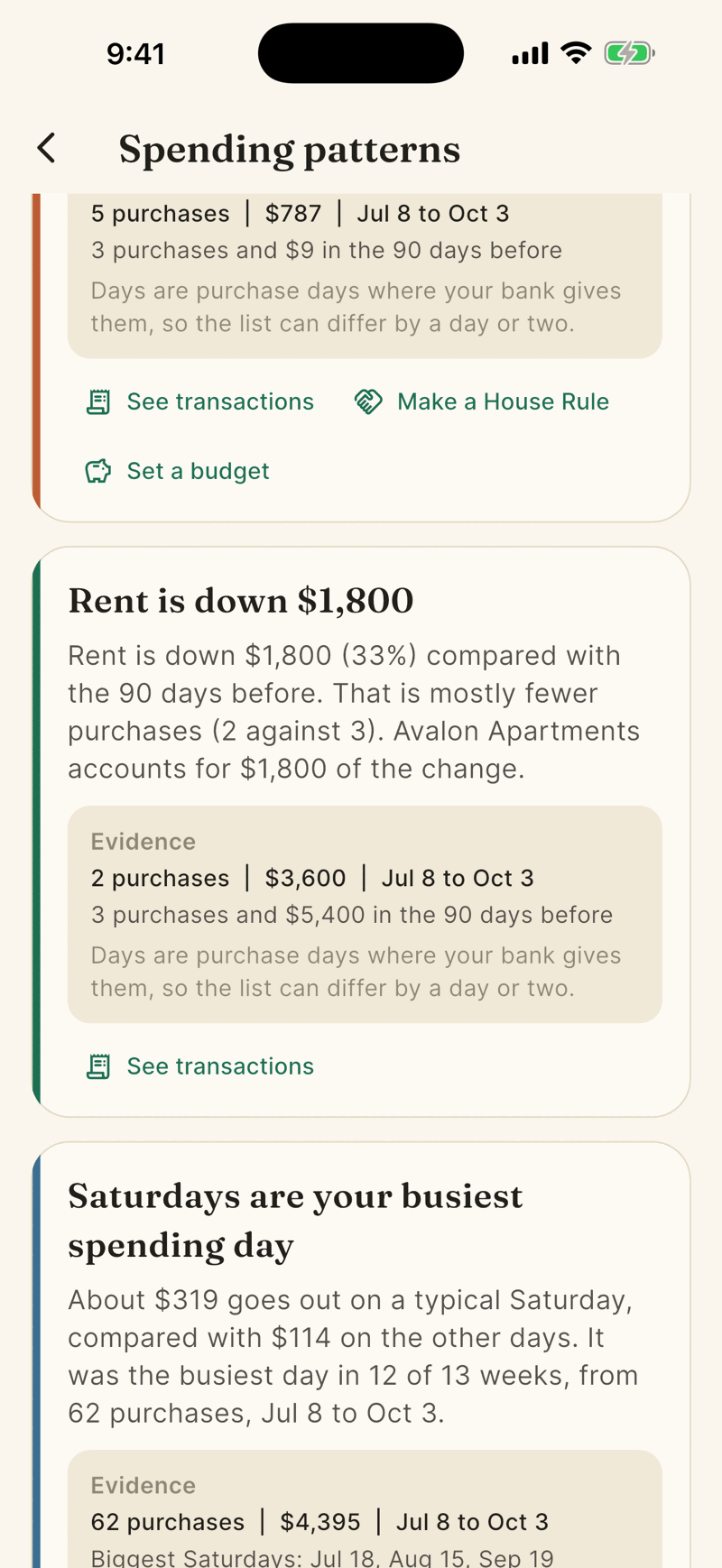
Tap See transactions on a finding to open the exact purchases it is based on.
Scroll to The full picture for When you spend, week, time of day, places, how you pay, regulars and new, habits, subscriptions and what changed.
What counts as everyday spending
Posted expenses, minus fixed bills (rent, utilities, loan payments, insurance, bank fees, taxes) and minus subscriptions. Pending purchases, refunds, income and transfers are left out, and so are the last 2 days while banks finish posting. Rent and bills would otherwise drown out the habits.
When you spend
This card shows your everyday spending day by day. Rent, bills and subscriptions are left out of the totals, though they are in the Spend list.
- On iPhone it starts as a weekly strip, one square a week, this week against a usual one. Tap Show every day to open the calendar in place, and Hide days to close it. On a wide screen the calendar is open already. On iPhone the 6 months window stays a strip, because the squares would be too small.
- Each square is shaded in one of five steps, from no spending to your busiest days. The shades are worked out from your own days, not from fixed dollar amounts.
- Tap a day to read it, for example Saturday, Sep 26: $37 over 1 purchase. Tap a week on the strip to read Week of Sep 21: $355 over 12 purchases. Tap See these purchases to open Spend for that day.
- Days the bank has not finished posting are drawn as outlined squares and say Not in yet. They are never shown as zero.
- It needs about three weeks of purchases. Before that it says how many days Shayr has.
Insights shows a small strip of the last weeks and a line for this week. Tap the Spending patterns row to open the whole card. A screen reader reads each square with its date and amount.
Buttons on a finding
- See transactions opens the matching list.
- Make a House Rule opens the rule sheet already filled in. Nothing saves until you tap Save rule. See House Rules.
- Set a budget opens the budget sheet with a suggested amount.
Places and privacy
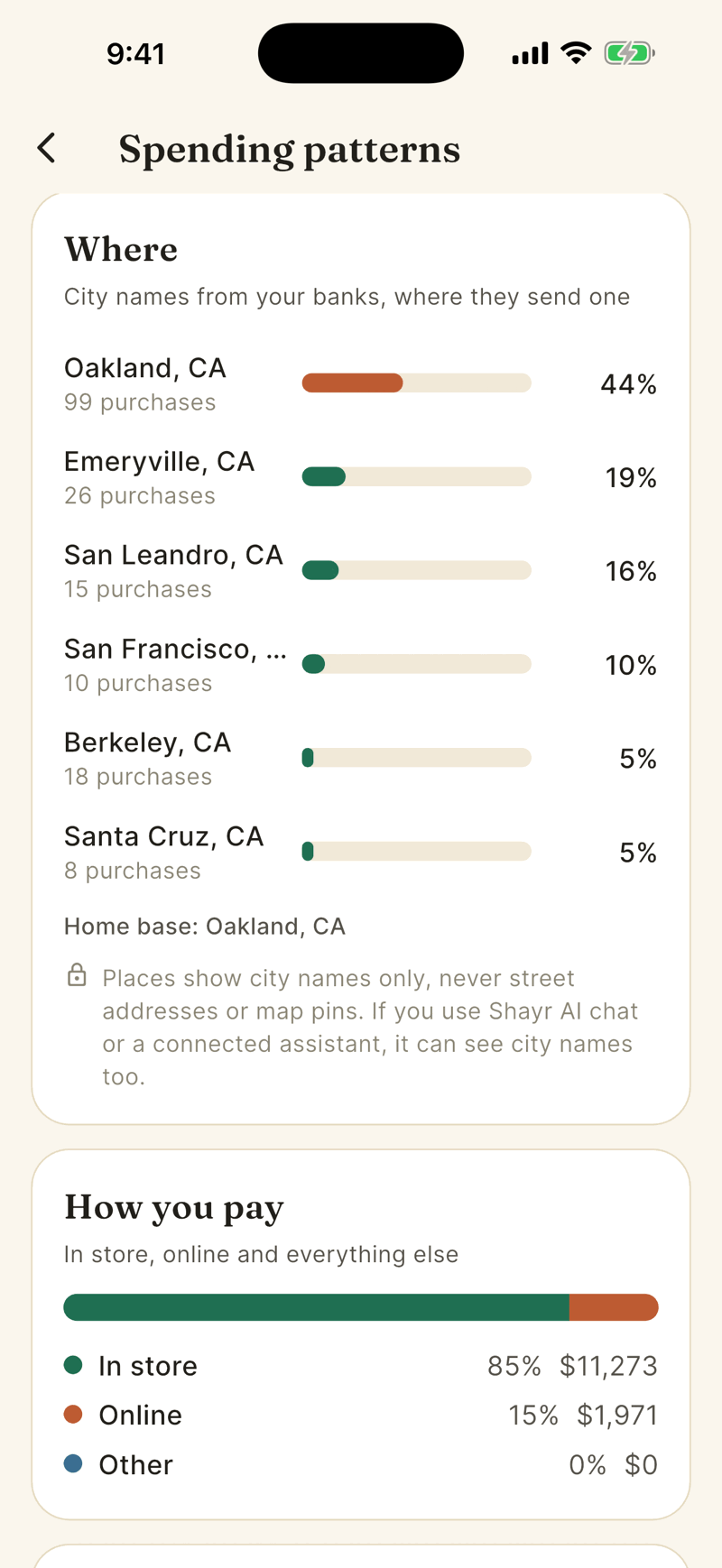
Places use the city names banks send, never street addresses or map pins. Time of day is used only when a bank sends a real time. Spending patterns do not use AI and do not need AI consent. If you use Shayr AI or a connected assistant, they can see the same city level data.
When it says there is not enough history
Not enough history yet shows a progress bar toward about 21 days and 20 purchases. Nothing to look at yet means no purchases have arrived. Sections that are not ready explain what they are waiting for.