
House Rules
A House Rule is a sentence about money your household agrees on, like Anything over $200, we talk first. When a new charge or balance matches, everyone in the household gets a short note.
Steps
Tap the menu icon, then House Rules.
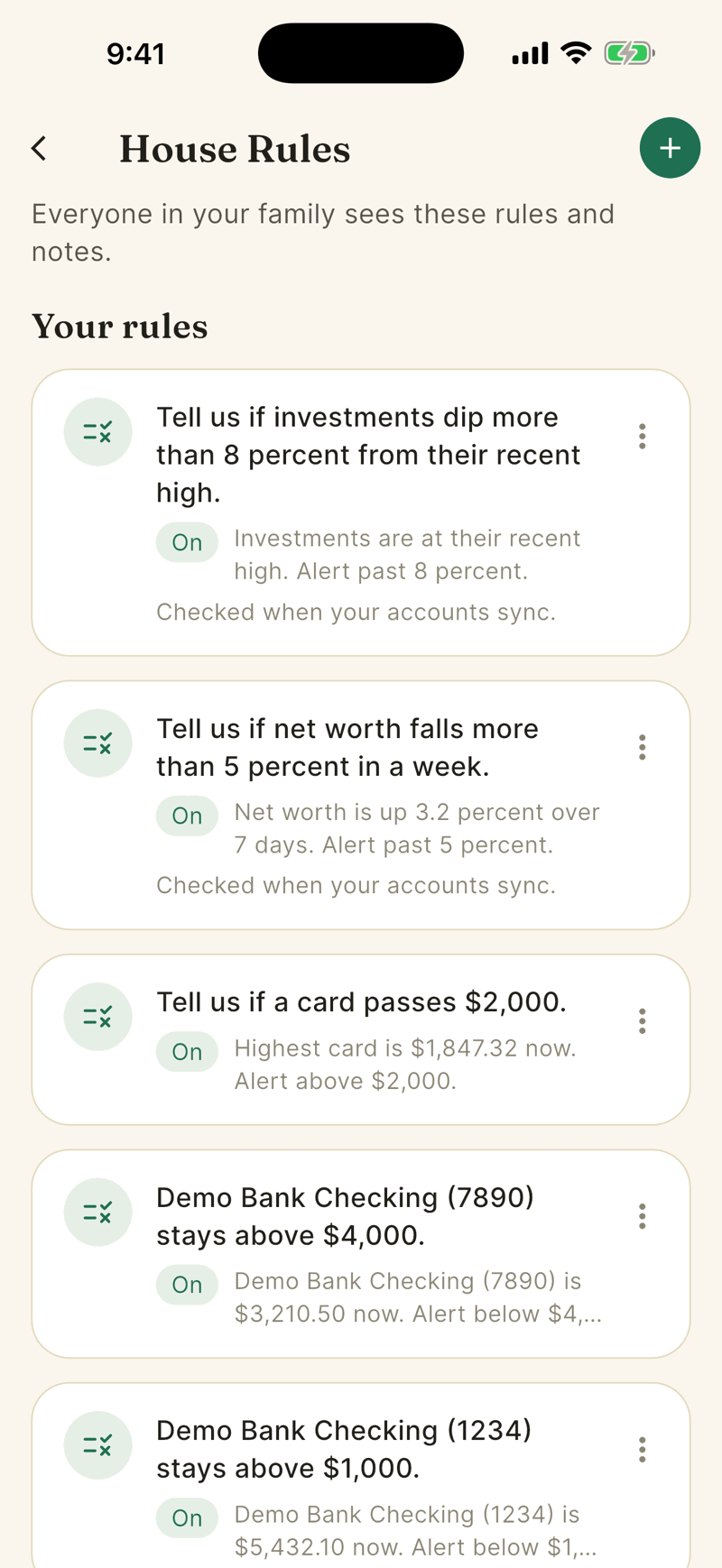
Tap Add a rule or the green +. If you have no rules yet, pick one of the starting templates such as Big purchases, Dining out or Keep cash above $2,000.
Choose Guided. Pick what to watch, for example Monthly limit for a category, fill in the amount and category, and check the sentence under Your rule.
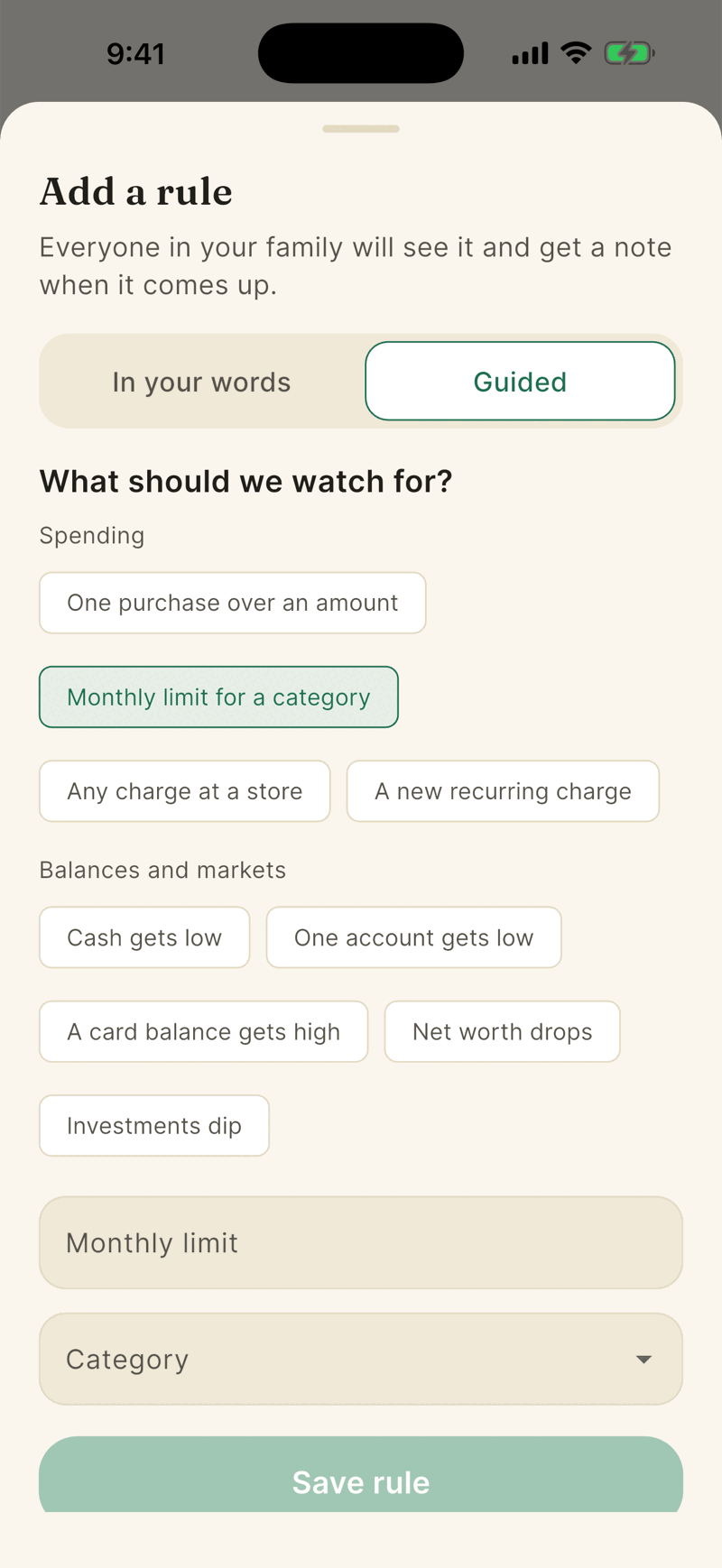
Tap Save rule. Everyone in your household can now see it.
Write it in your own words
The In your words tab turns a sentence like dining out stays under $400 a month into a rule. Tap Read my rule, check Here is what we understood, then Save this rule. Nothing saves until you do.
This uses an AI model, so it asks you to turn on AI features first. Only the sentence you type is sent. Your transactions, balances and account names are not. It needs an active plan, allows 20 tries a day on Shayr's own AI, and the sentence can be up to 300 characters. The Guided builder is always free. See AI consent and privacy.
When a rule fires
- Spending rules are checked when new transactions arrive from your bank. Only posted purchases from the last 7 days count, and each one makes at most one note.
- Balance and market rules read the balances Shayr already has. They run after a balance sync, when you save the rule, and once a day. They send one note when the value crosses your line, and stay quiet until it recovers.
- Notes show under Recent and arrive as an alert titled A house rule came up.
Ask your household to agree
When your household has two or more people, each rule can show an optional row. It never stops a rule from working, and a household of one does not see it.
- Tap Ask your partner to agree (Ask your household to agree for three or more people). The others get one note, A house rule is waiting for you, at most once per rule every 6 hours.
- Tap I agree to add your yes. Tap Take back my yes to remove it.
- The row says things like Not agreed to yet. This is optional., You agreed. Waiting for your partner. or Your partner would like your yes. When everyone has agreed it reads Agreed by both of you on Oct 12 or Agreed by everyone on Oct 12. With three or more people it counts yes answers, such as 2 of 3.
- On iPad the row is two pads side by side, You and Partner.
Shayr keeps counts and a date, never who agreed. Agreement means everyone. Changing a rule's words, kind or limits clears the yes answers. Archiving, turning a rule off or deleting it never looks at them. A member who is removed stops counting, and a new member needs to say yes too.
Remove a rule
Swipe a rule left and tap Archive, or open its menu and choose Archive this rule. Tap Undo on the message that follows to bring it back. Archived rules disappear from the list, and their past notes stay under Recent.
There is no way to edit a saved rule yet. Archive it and add a new one.
Every active member can add or archive any rule. There is no limit on how many you can have.