
Money Date
Money Date is a weekly check in for your household that takes about a minute and a half. It shows what is due, what changed and up to 3 questions. Each person answers on their own phone, answers stay private until everyone has locked in, and what you decide goes in a shared decision log.
Steps
Tap the menu icon, then Money Date. Shayr also sends a notification on Sundays, titled Your money date is ready.
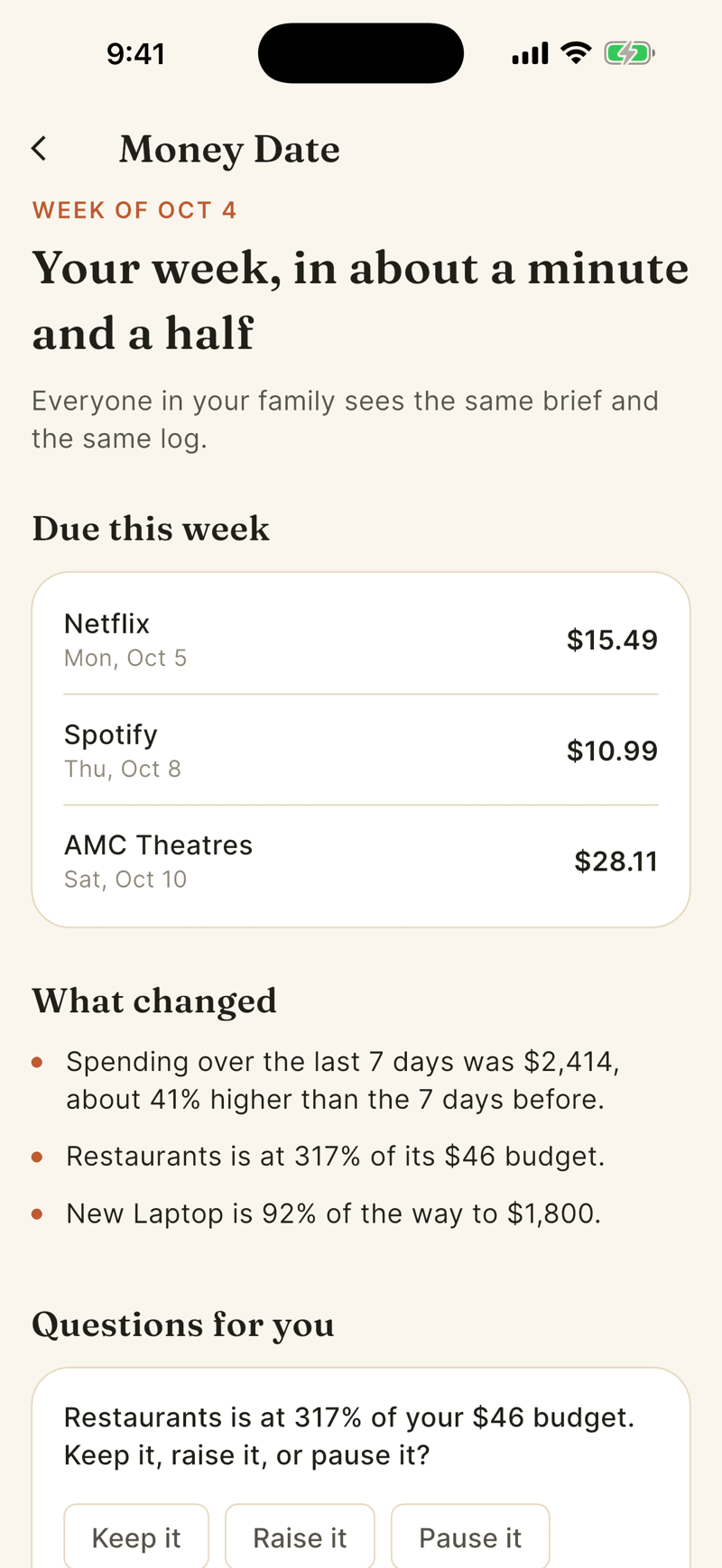
Read Due this week (recurring charges in the next 7 days) and What changed (up to four facts such as spending compared with the week before, a new recurring charge, a budget near its limit, or goal progress).
Under Questions for you, tap an answer. For example a budget at 80 percent asks Keep it, Raise it or Pause it. If your household has two or more people, tap Lock in when you are sure. On iPhone the questions come one at a time, as Question 1 of 3, with back and next.
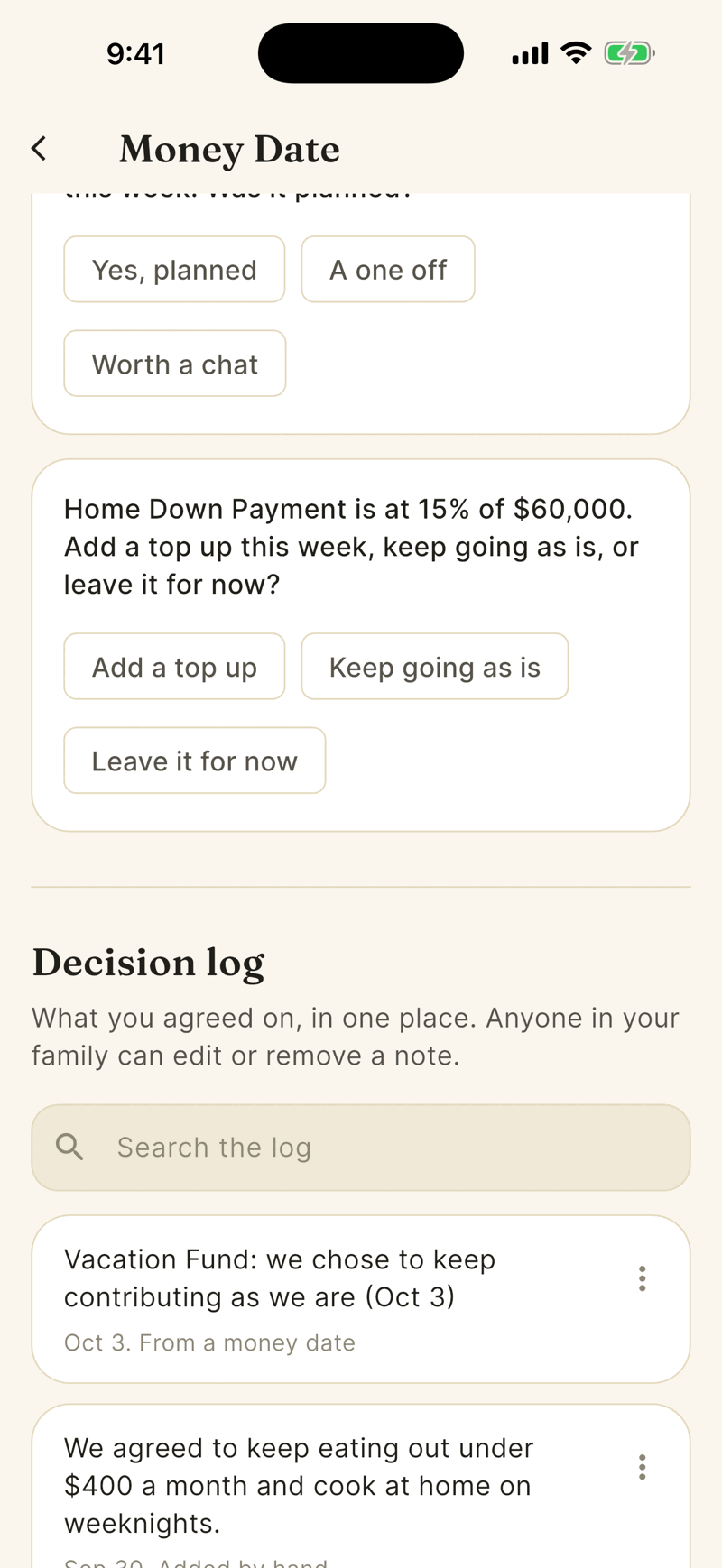
In a household of one, your answer goes straight to the Decision log. Tap Add a few words to add context, such as just until the move is done, and tap another chip to change your answer. With two or more people, see Locked in and reveal below.
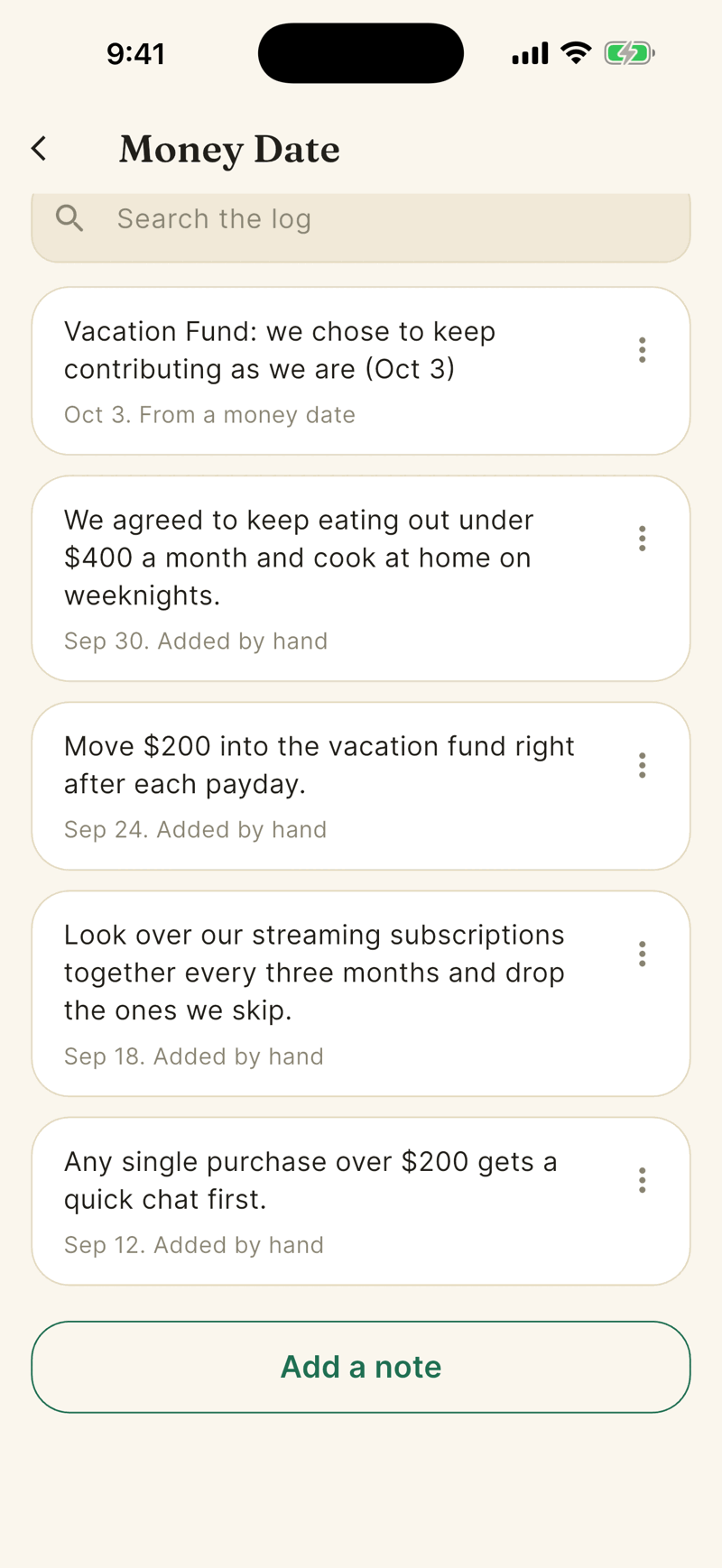
To write something down yourself, tap Add a note, type up to 400 characters and tap Save note.
Who sees it
Everyone in your household sees the same brief and the same log. Anyone can add, edit or delete a note. The log never shows who wrote an entry. Nothing in Money Date names, compares or ranks people.
Locked in and reveal
When your household has two or more people, each person answers on their own phone or iPad. Shayr never answers for someone who is not signed in on the device.
- Tap an answer. It is saved as a private draft at once.
- Tap Lock in. The card shows a Locked in pill and Waiting for your partner. (Waiting for the others in your household. with three or more people). Reopen lets you change your answer until the answers come out.
- The other side shows Waiting and then Locked in, never what they picked. Your answer stays private until everyone has locked in. Shayr can send one short note when someone locks in. It never says who.
- When everyone has locked in, the answers come out. If you picked the same, it says You both picked this. (Everyone picked the same answer.). If not, it says You picked different answers. Talk it through, then choose one. and shows a Go with button for each locked in answer, plus Add a note.
- What you decide goes in the Decision log. A decision never changes a budget by itself.
If someone does not lock in, the others can go ahead after two days. The card says After two days you can go ahead without the others., and then Nobody else has locked in yet. You can go ahead with your answer.
The table on a wide screen
On iPad, and on any wide screen, Money Date opens as a table. The question is on top, You are on one side and Partner (Others in your household for three or more) on the other, with a hairline between, and the shared decision row is underneath. Held sideways, iPad also shows the week, with bills and what changed, on the left.
Which questions can come up
At most 3 each week, one of each kind in this order: a budget at 80 percent or more, a new recurring charge, a purchase of $300 or more that was not rent or a known bill, and a goal that could use a top up. If none apply you get Is there anything about money you want to talk about this week?
The week
The week starts on Sunday, Pacific time. The brief is built fresh each time you open it.
Edit or delete a note
Tap an entry to edit it. Swipe left or use the menu for Edit or Delete. Delete asks Delete this note? and removes it for everyone.