
Notifications are not arriving
Check three switches: iPhone Settings for Shayr, All Notifications in Shayr's Notification Preferences, and the alert type you expected. Then check that the event meets its threshold.
Steps
On your iPhone, open Settings, then Notifications, then Shayr, and allow notifications. Shayr shows a banner, Notifications are off for Shayr, with a Turn on in Settings button, until you do.
In Shayr, open Settings, then Notification Preferences. Make sure All Notifications is on. Turning it off pauses every alert, in the app and on your phone.
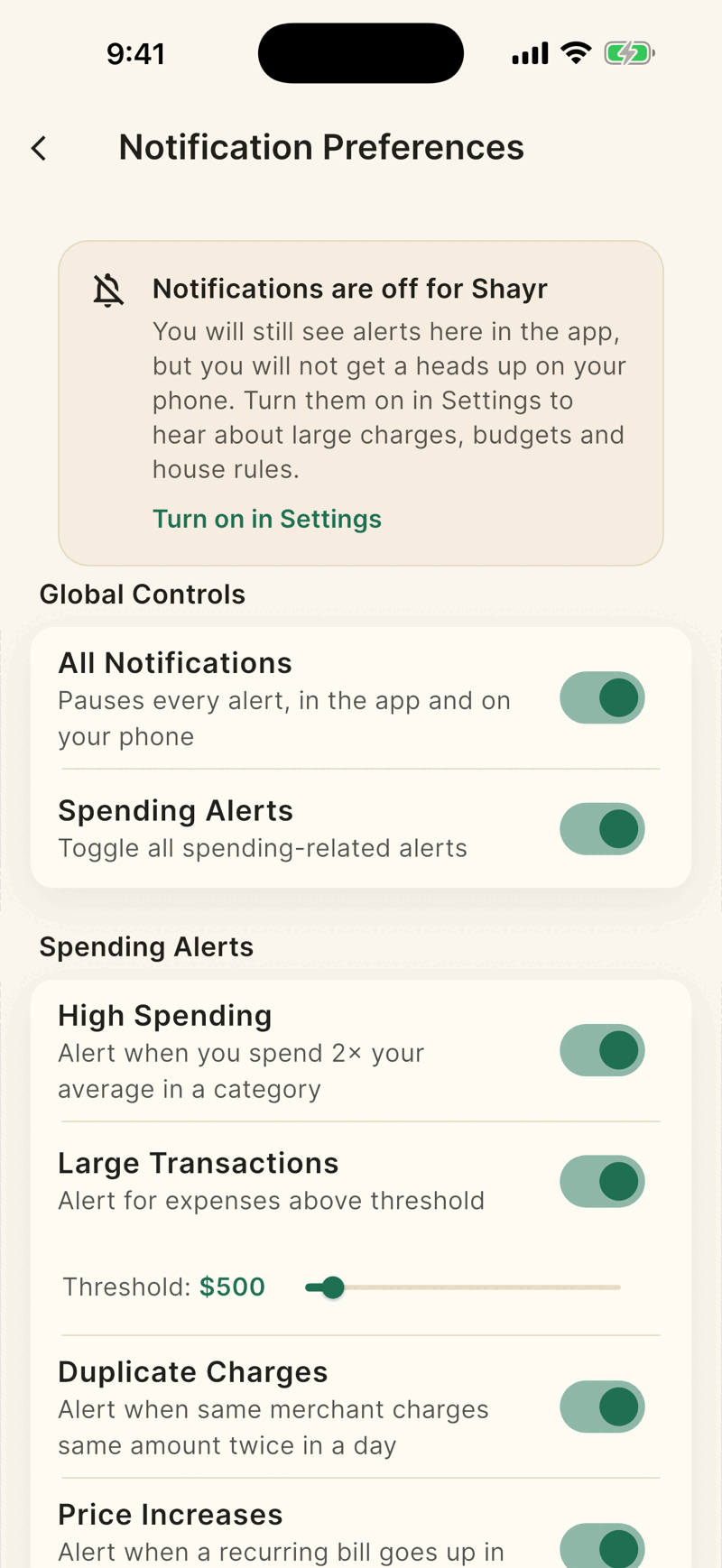
Make sure Spending Alerts is on. It also silences House Rules, Money Date and Wrapped notifications.
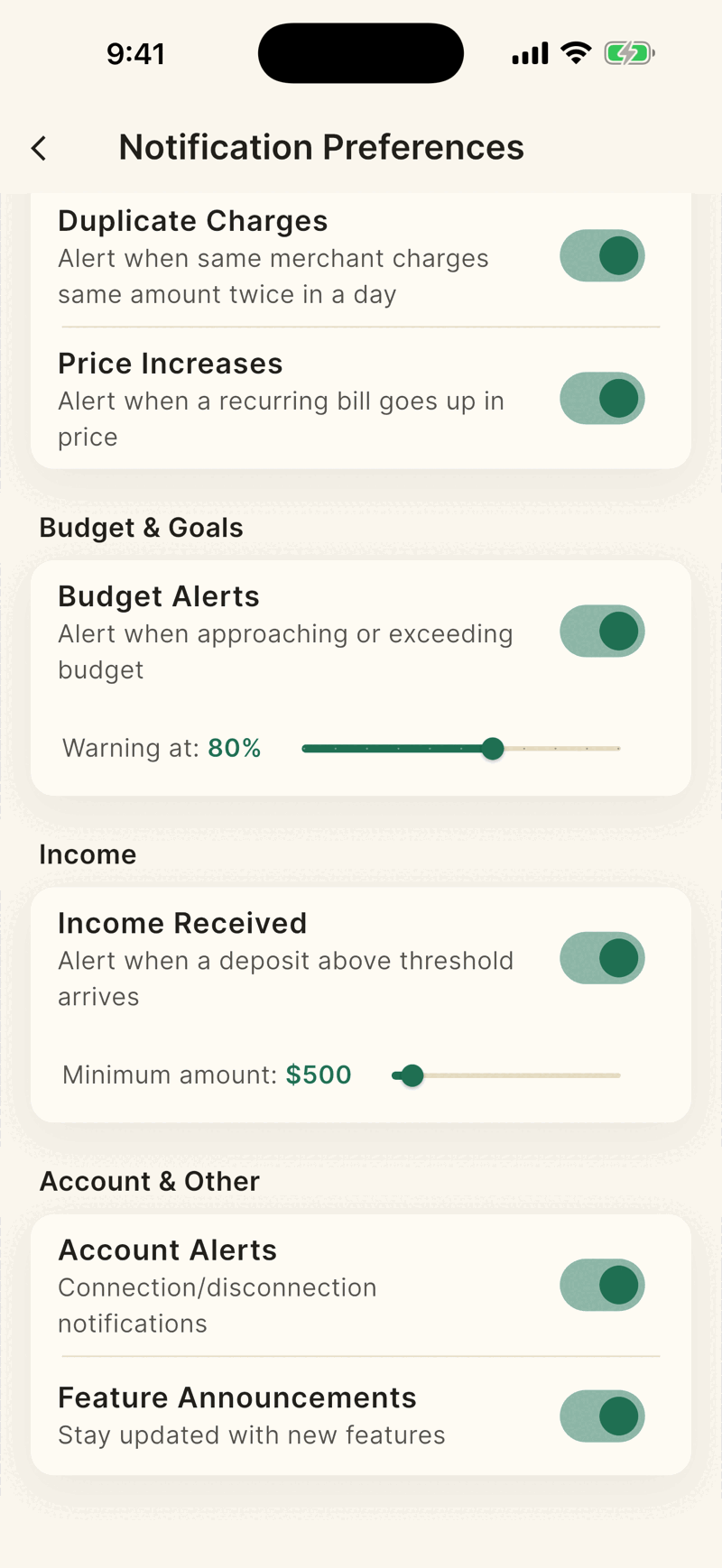
Scroll to the type you expected and check it is on and its slider is where you want it.
When each alert fires
| Alert | Fires when |
|---|---|
| High Spending | A purchase is more than 2 times your average in that detailed category, with at least 5 earlier purchases there. |
| Large Transactions | An expense is above your threshold. The default is $500, and you can set $100 to $5,000. |
| Duplicate Charges | The same merchant charges the same amount twice in a day, or again within 7 days. |
| Price Increases | A merchant's charge goes up by at least $1 and 5 percent. Once per merchant every 30 days. |
| Budget Alerts | You reach your warning level (default 80 percent) and when you pass 100 percent. Once each per budget per month. |
| Income Received | A deposit categorized as income at or above your minimum, default $500. |
| Account Alerts | A bank needs reconnecting or was disconnected. |
Limits
- Alerts are checked when your bank sends new data, so a delayed bank means a delayed alert.
- Pending purchases and transactions from before the account was linked do not trigger most alerts.
- Each person gets at most 10 alerts a day.
- One transaction triggers at most one alert, checked in this order: high spending, large transaction, budget, duplicate, price increase, income.
- Every alert also appears in Alerts in the menu, even if the phone notification did not arrive.
Shayr also emails you for sign in links, household invites and removal notices. It does not send spending or digest emails.