
Recurring bills and subscriptions
Shayr finds bills and subscriptions by looking for charges that repeat on a schedule. Tap Plan, then See all on the Recurring Bills card, to see what is due and to confirm or dismiss anything it got wrong.
Steps
Tap Plan in the bottom bar, then tap See all on the Recurring Bills card.
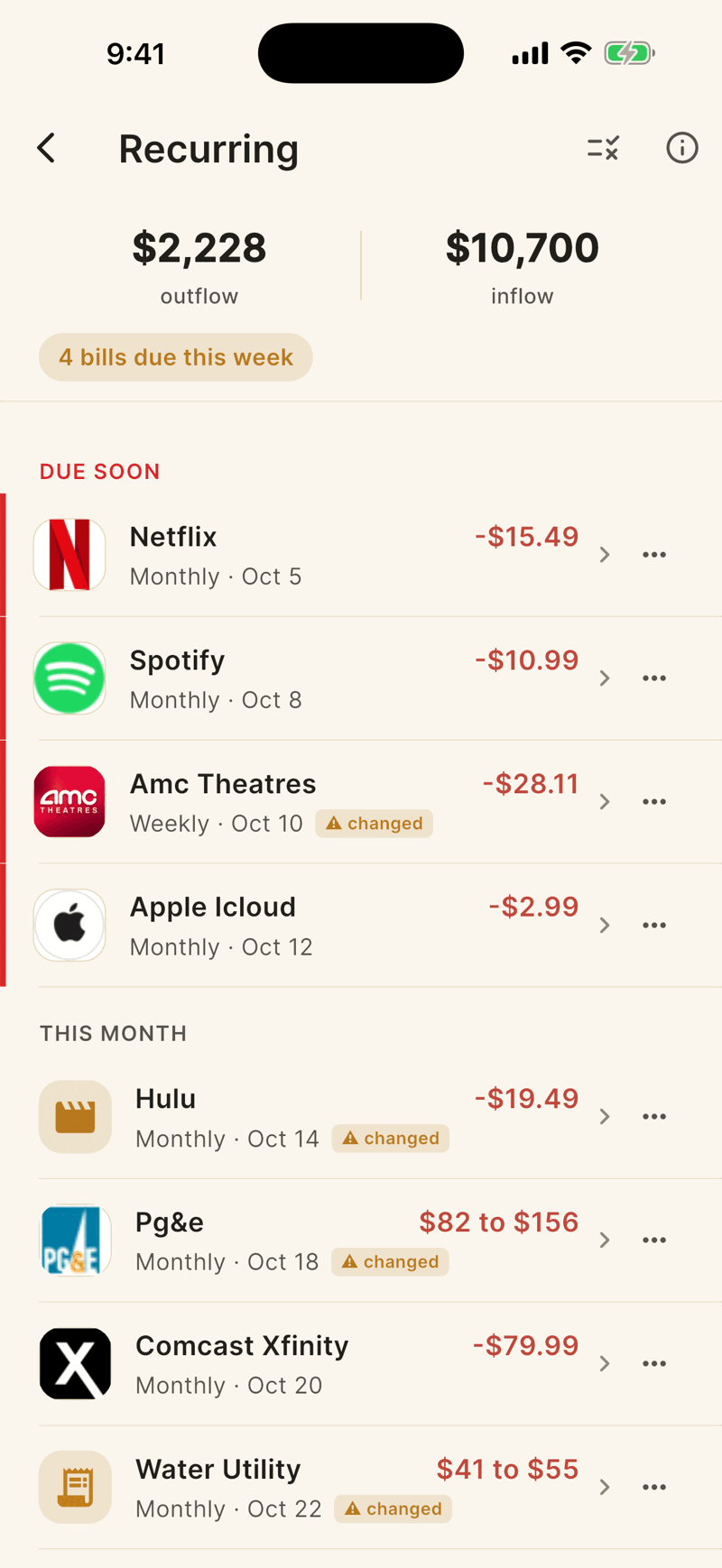
Bills are grouped as DUE SOON (within 7 days), THIS MONTH (8 to 30 days) and LATER. Tap a row to see its last 24 months of charges.
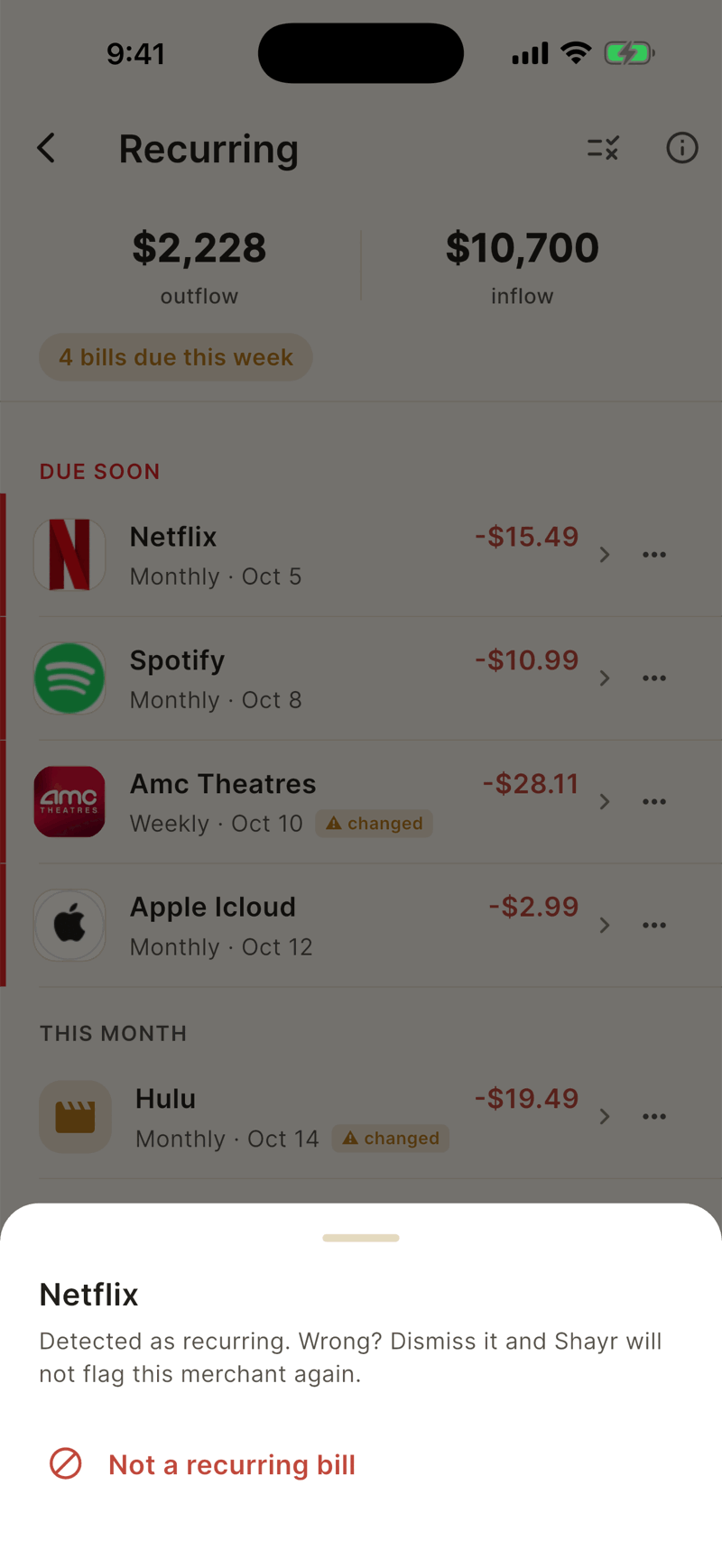
If Shayr is wrong, tap the three dots on the row, then Not a recurring bill. Shayr will not show that merchant as recurring again.
Anything shown under POSSIBLY RECURRING is a guess that is not counted in your totals. Tap the dots and choose Yes, this is a bill to confirm it, or Not a recurring bill to dismiss it.
How Shayr decides
- It looks at about 2 years of charges from the same merchant on the same account.
- It needs at least 3 charges that fit a rhythm: weekly, every 2 weeks, twice a month, monthly, every 2 months, quarterly or yearly. Steady amounts score higher, except for things like water and electric that vary.
- Stopped bills drop off after a while, for example 90 days after the last monthly charge.
- A changed tag means the last charge differs from the usual amount by more than 50 cents.
- Only high and medium confidence bills feed Home, Plan, the forecast and Money Date.
Undo a decision
Tap the rules icon at the top right of Recurring to open Recurring Rules. Each past decision has an Undo button.
Decisions apply to the whole household.