
Set a budget
Tap Plan, tap the Budget card, tap the green +, pick a category, type a monthly amount and tap Save Budget.
Steps
Tap Plan in the bottom bar, then tap the Budget card. The screen is called Budget Planner. On iPad, Plan stays highlighted in the sidebar while it is open.
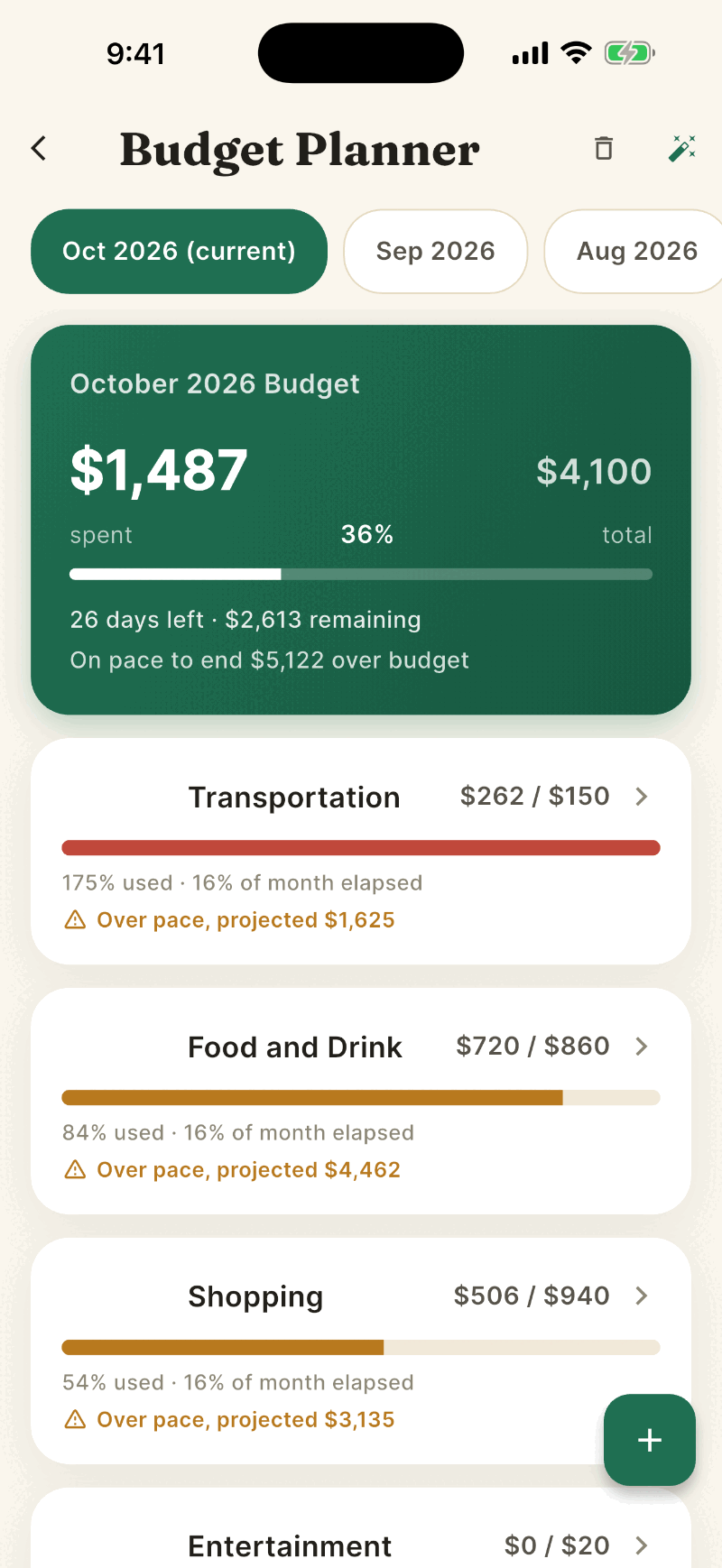
Tap the green + button at the bottom right. If you have no budgets yet, tap Add Budget instead.
Under Choose a Category, tap a group such as Food and Drink.
Type the Monthly Budget Amount. Turn on Roll over unspent budget if you want leftover money tracked, or Break this down by subcategory to split it, for example into Groceries and Restaurants.
Tap Save Budget. If you chose to break it down, tap Next, give each subcategory a dollar amount, and then save. Shayr will not let the pieces add up to more than the total.
Reading a budget card
- The big number is spent so far against the limit, for example $720 / $860.
- The bar is green until you reach about 75 percent, amber after that, and red when you are over or past 90 percent.
- Over pace, projected $X means that at your current rate you will end the month above the limit. It only shows after the first 3 days of the month.
- The top card sums only the categories you have budgets for. Spending in other categories appears under Other Spending, each with a + Budget button.
Edit, delete, or look back
- Swipe a card right for Edit or left for Delete. Tap a card to see its subcategories.
- The trash icon at the top clears all budgets for the month, after a confirmation.
- Tap the month pills at the top to see the previous five months. Past months are read only.
Let Shayr suggest budgets
Tap the wand icon at the top right. Suggested Budgets are based on your last three full months. Untick any you do not want and tap Apply Selected.
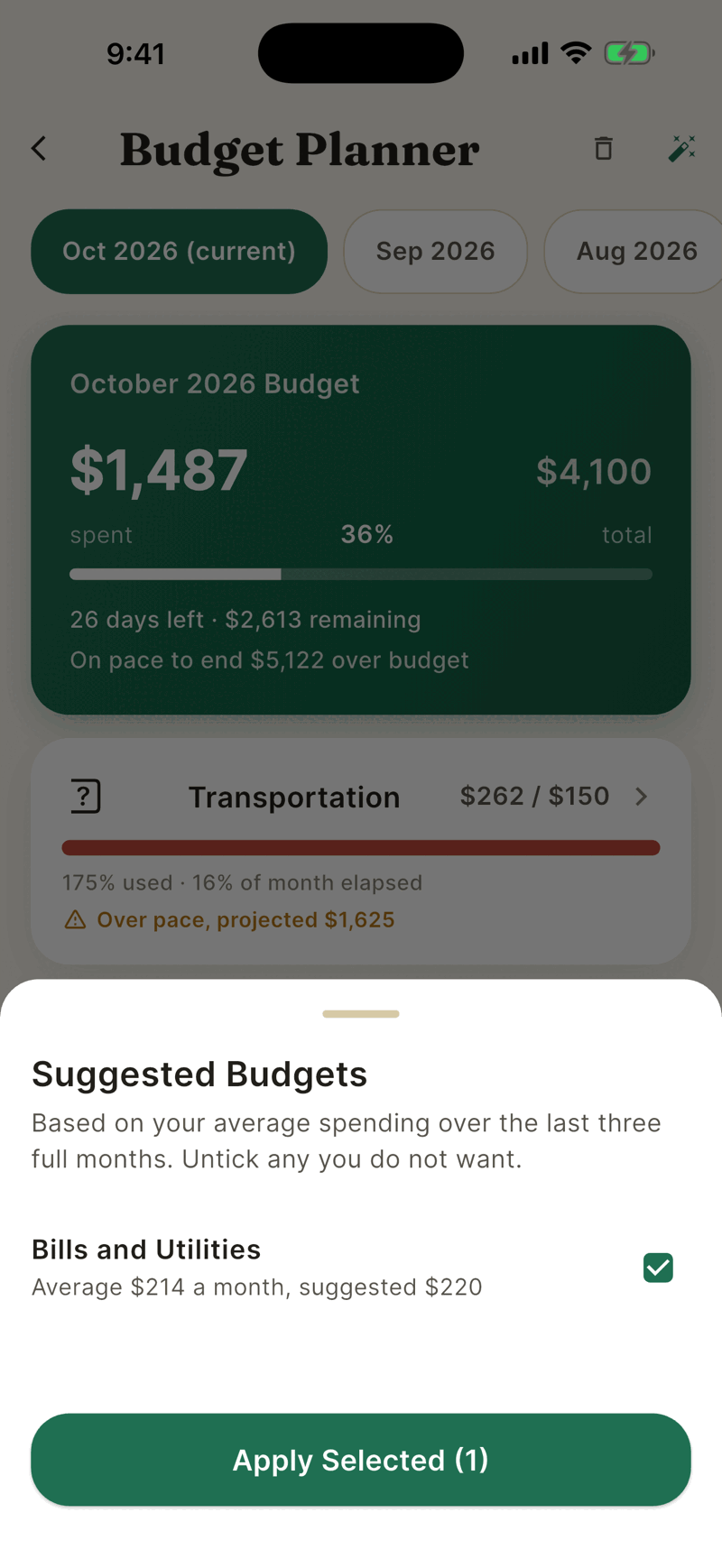
Suggestions skip categories that average under $25 a month. The wand is available on the trial, Bussin and GOAT.
What counts toward a budget
Everything you spent in that category on any account in your household this month, including pending purchases. Transfers, credit card payments and income are not counted. Refunds are not subtracted.
Budgets are set for the current month and do not copy forward on their own, so check the screen at the start of each month. The rollover switch is saved, but the Budget, Home and Plan screens show the plain limit without the carried over amount, and editing a budget turns the switch back off.