
Keep a Google Sheet up to date
In Settings, then Export data, tap Create a feed link, copy a formula, and paste it into cell A1 of a Google Sheet. The sheet then refreshes by itself about once an hour.
This is a GOAT and free trial feature. On Bussin, Create a feed link shows an upgrade prompt once you name the link, and you can still export a CSV file. See If your plan changes.
Steps
Open Settings, then Export data. Scroll to Keep a Google Sheet up to date.
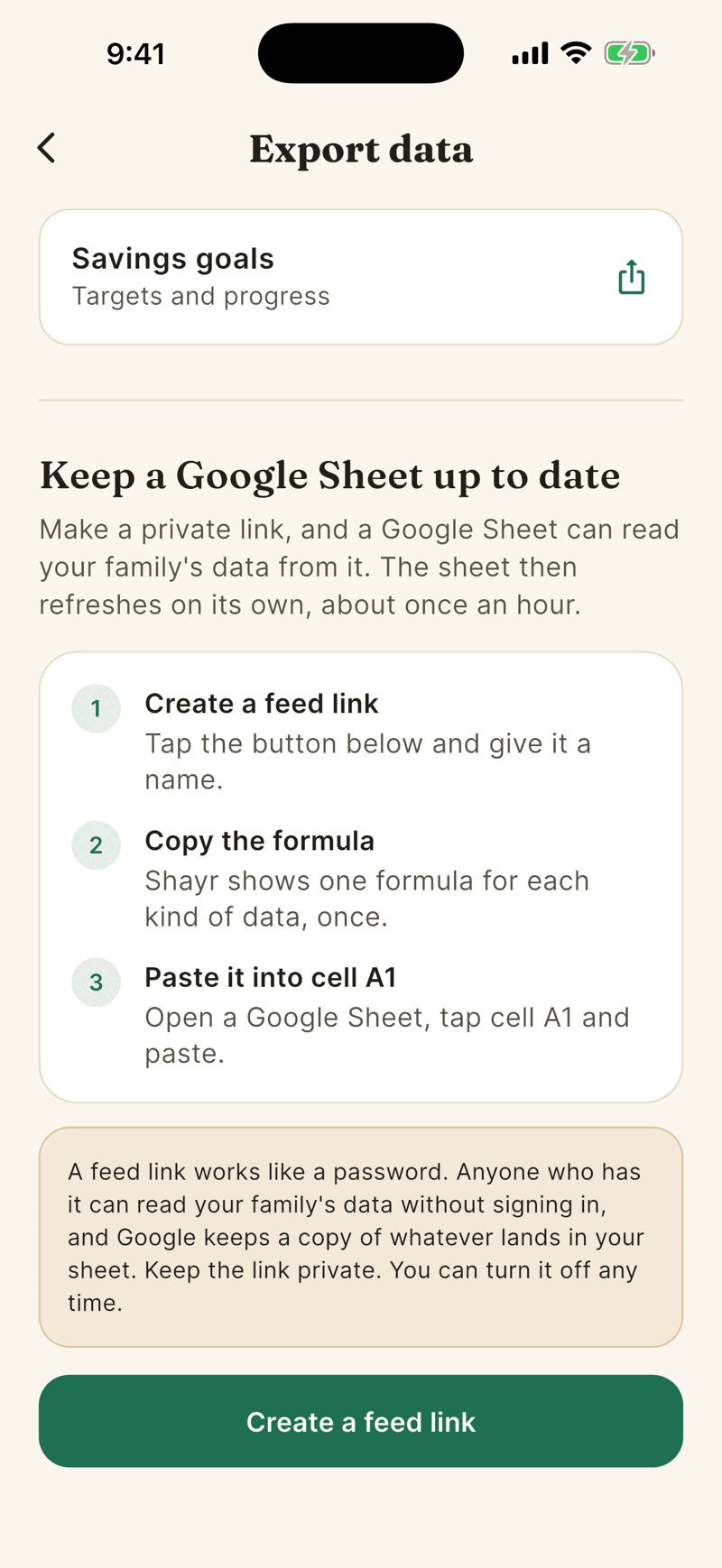
Tap Create a feed link. Give it a name such as Our budget sheet (up to 60 characters) and tap Create link.
The Your feed link is ready sheet shows a formula for Transactions, Accounts and balances, Budgets and Savings goals. Tap the one you want to copy it.
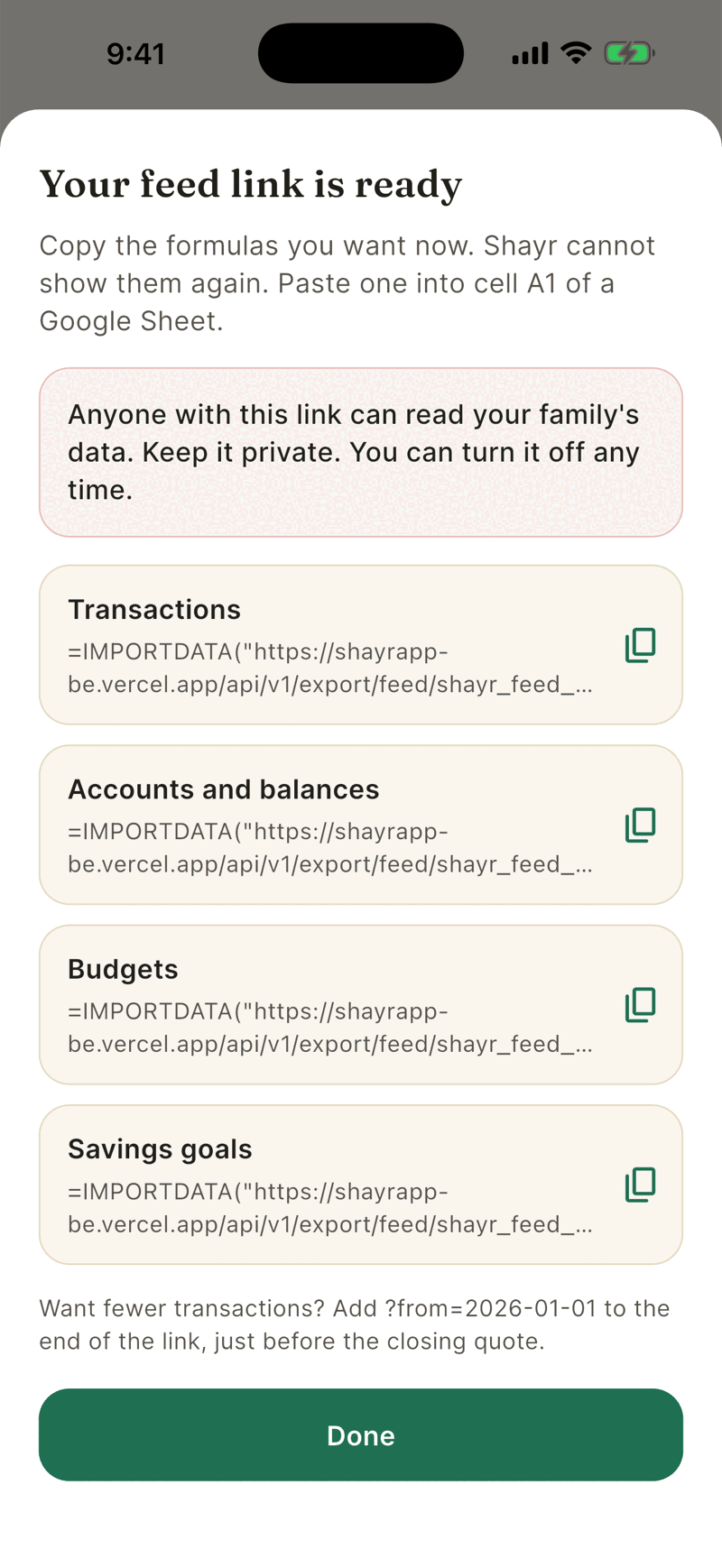
Tap Done only after you have copied everything you need. Shayr shows each formula once.
Open a Google Sheet, tap cell A1 and paste. The data loads in a few seconds.
Treat the link like a password
Anyone who has the link can read your household's data without signing in, and Google keeps a copy of what lands in your sheet. Keep it private and do not share a sheet with people who should not see the data. Excel and Numbers can read the same link.
Fewer transactions
Add ?from=2026-01-01 to the end of the link, just before the closing quote, to load transactions from that date. Budgets accept month=2026-10.
Your feed links
- You can have 5 active links at once. Turned off links do not count.
- The list shows each link's name, when it was created and when it was last used.
- Links are personal. Other household members cannot see yours, though the data they read is the whole household's.
Turn a link off
- Under Your feed links, tap Turn off next to the link.
- Read The link stops working right away and tap Turn off link.
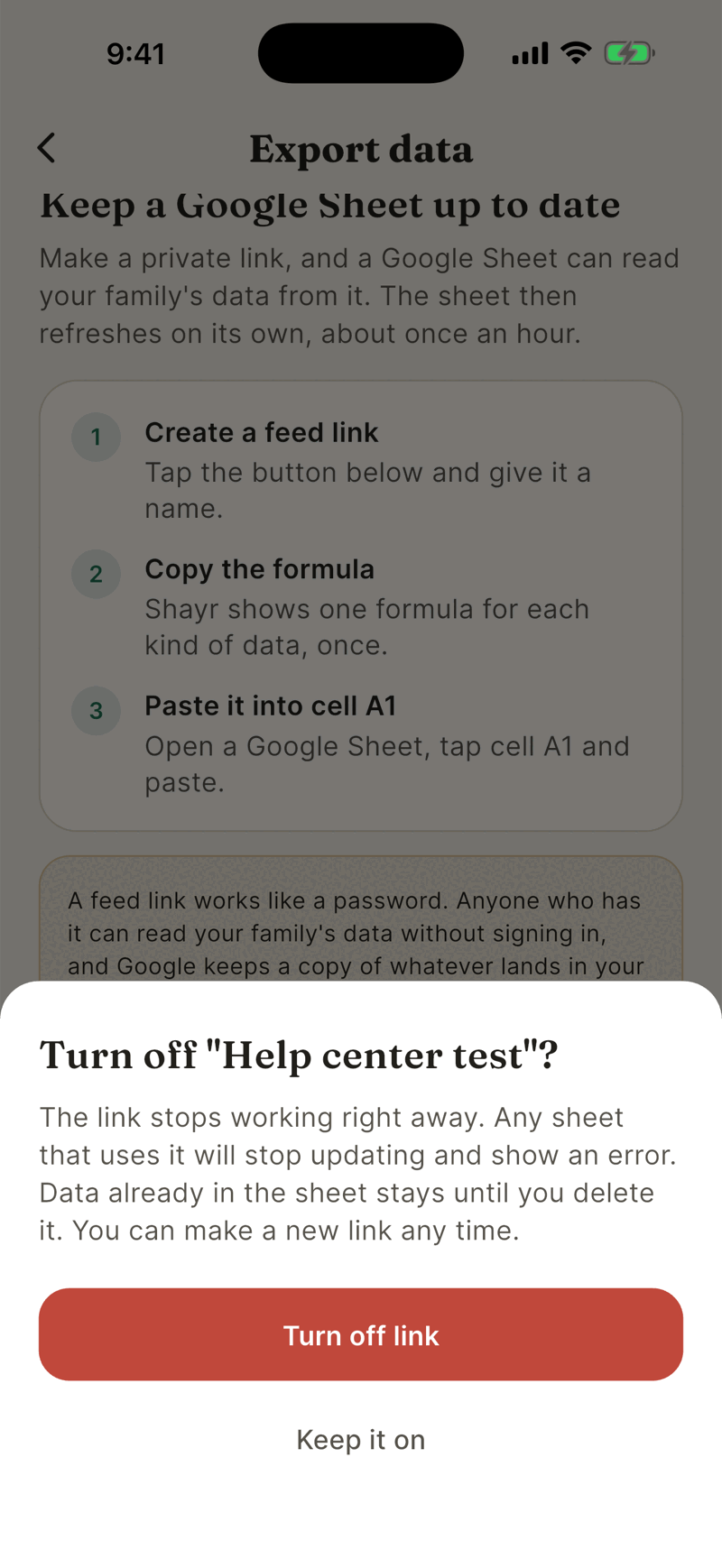
A turned off link cannot be turned back on. Make a new one. Data already in the sheet stays until you delete it.
If your plan changes
A feed link works only while the plan that covers you, yours or your household's highest, is GOAT or the free trial. If it drops to Bussin or the plan ends, the link stops answering, so the sheet shows an error and stops updating. You can still open Export data to see your links and turn them off. The link works again if you or your household return to GOAT, and you cannot make a new link until then.