
Try the demo without an account
On the sign in or sign up screen, tap Try Shayr App, then Explore. You get a full set of sample accounts, budgets and goals. Nothing in it is real, and nothing you tap affects a real account.
Steps
On the sign up screen, tap Try Shayr App. On the sign in screen it is the outlined button at the bottom.
A card says You're exploring sample data. Tap Explore.
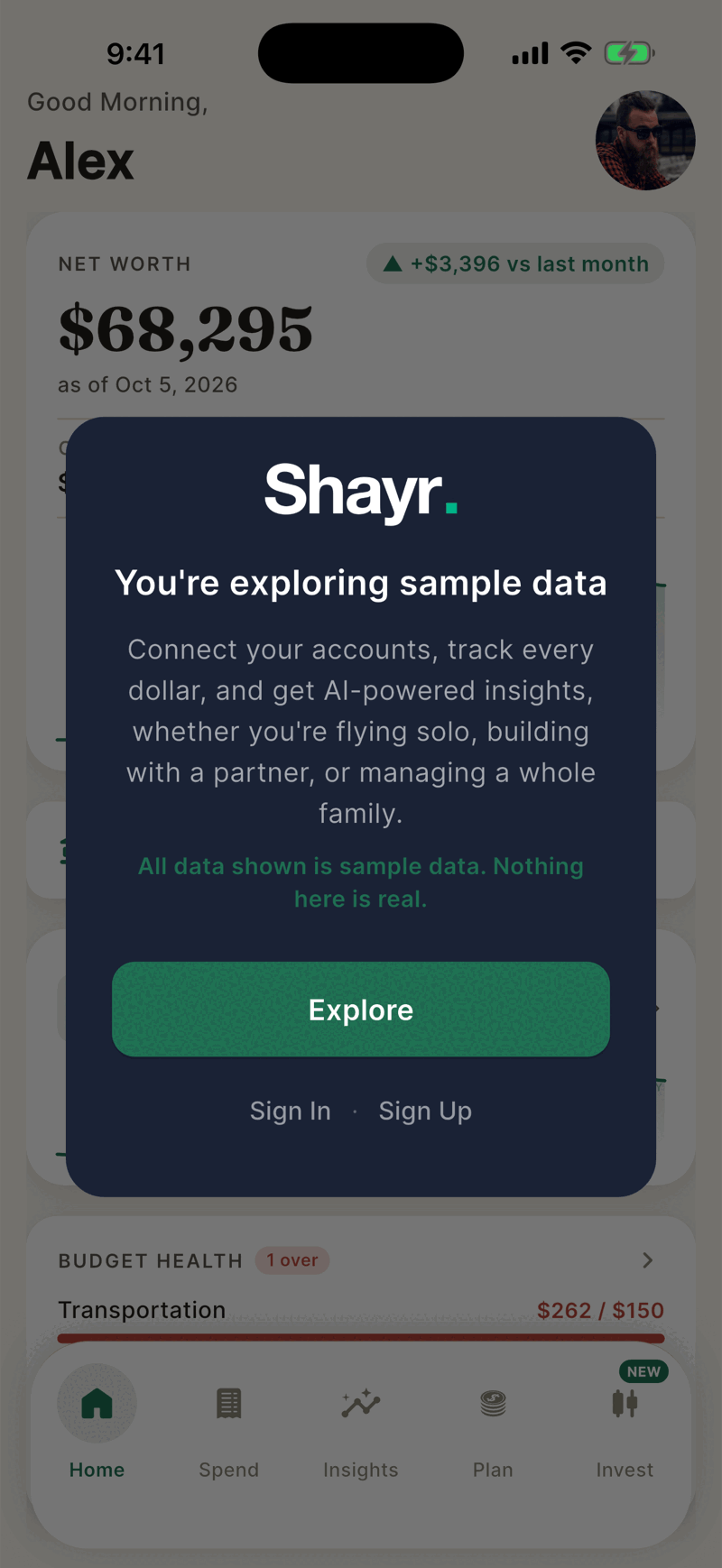
Look around. Every tab works, and the numbers belong to a made up household.
What is different in the demo
- Shayr AI is locked. You see three example questions and a sign up button.
- If you send the app to the background and come back, the demo signs you out. Tap Try Shayr App again.
- The demo household has a partner, so you can see what shared accounts and a partner view look like.
When you are ready for your own numbers, tap Sign Up on the card, or sign out from the menu and create an account.
If something goes wrong
It says Demo unavailable.
The demo needs an internet connection. Check your signal and try again. If it keeps failing, contact us.
Was this helpful?YesNo, tell us what was missing