
Remove a member or leave a household
The household owner opens the person on the Family screen and taps Remove [Name] from family. A member who wants out taps Leave Family in Settings. Nobody loses their own account or the banks they linked.
Steps
Tap the menu icon, then Family. Tap the person you want to remove.
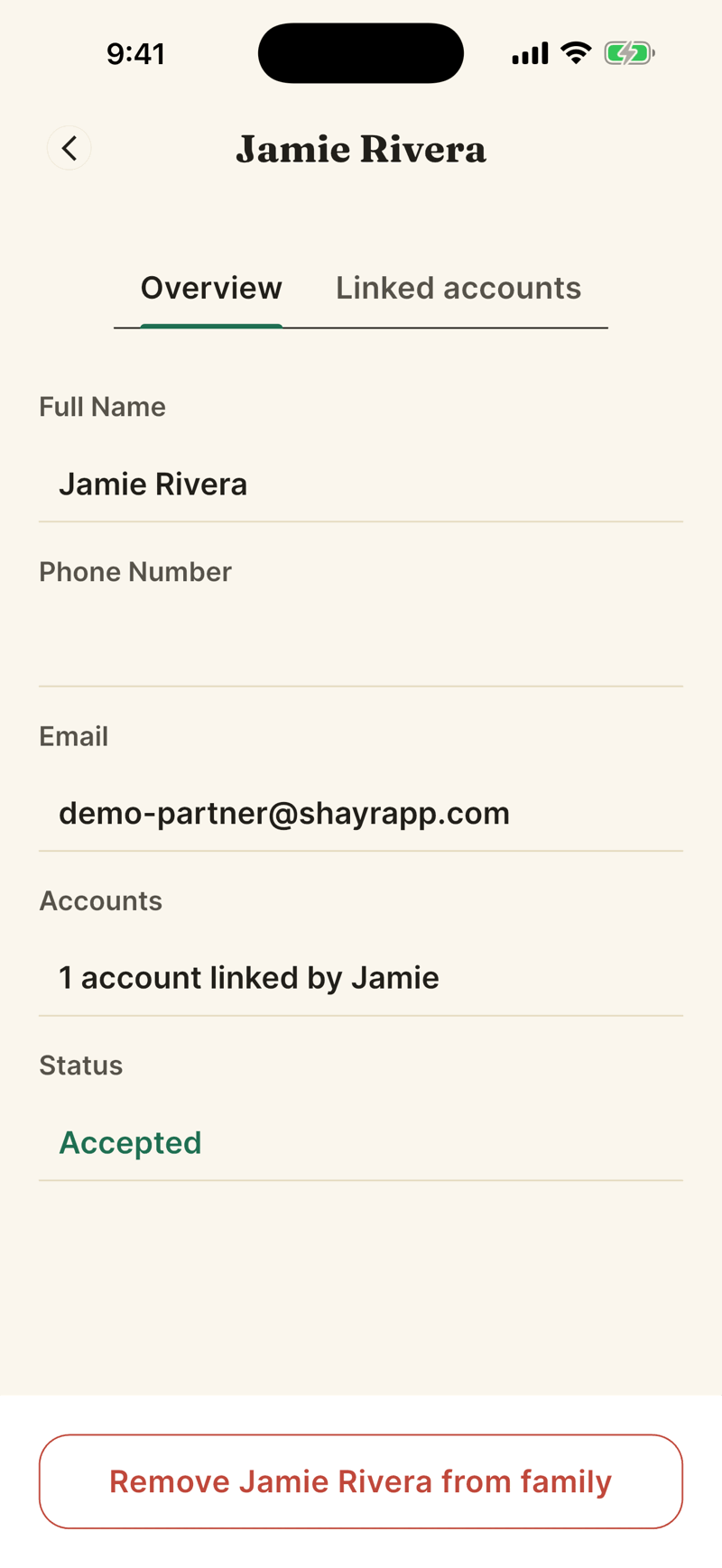
Tap Remove [Name] from family. You see a confirmation: This will remove [Name] from your family. They will stop seeing the shared accounts, budgets and goals.
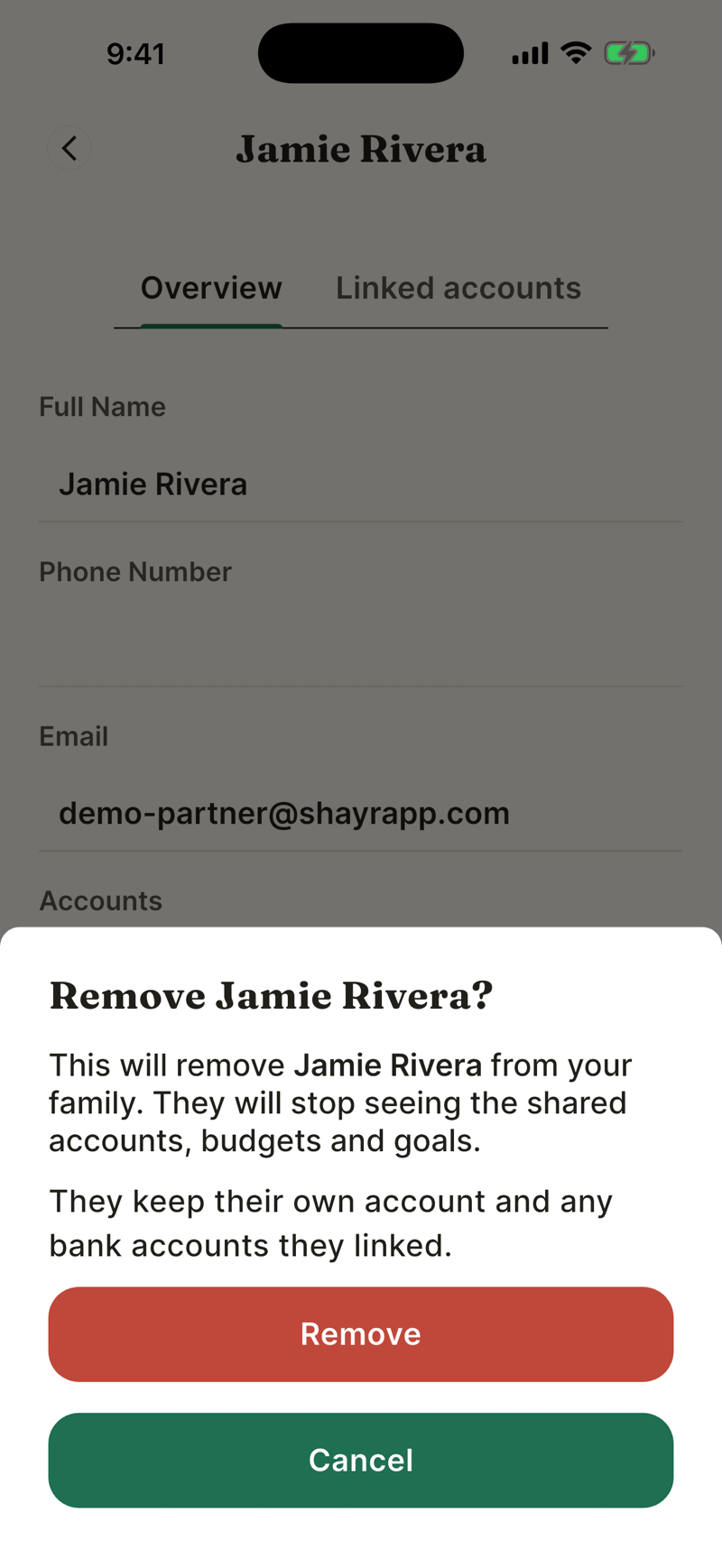
Tap Remove.
What happens
- They keep their own Shayr account and the banks they linked. Those accounts leave the household view for everyone.
- They stop seeing the household's accounts, budgets and goals. Budgets and goals stay with the household.
- They get an email saying they were removed. You can invite the same email again later.
- If they were covered by a Bussin or GOAT plan from someone else, they keep that plan for 7 days. Then they use their own plan, or their own trial if it has not ended.
- Their bank connections leave the household with them, so the household's count goes down. The household may drop to a lower plan, and then features above that plan lock while your data stays.
Leave a household yourself
- Open Settings, then Leave Family in the Family section.
- Read You'll lose access to shared finances and tap Leave.
The household owner cannot leave. Use Transfer Ownership first (see Account ownership), or remove everyone else.
If something goes wrong
I do not see a Remove button.
Only the household owner sees it. Members use Leave Family in Settings.
It says I do not have permission.
You are not the household owner.
I cannot cancel a pending invite.
The owner can remove a pending person with the same button.
Was this helpful?YesNo, tell us what was missing