
Account ownership and who can change what
Only the person who linked a bank or created a manual account can edit, reassign or delete it. Everyone else sees a lock icon. Only the household owner can remove members, and nobody can delete another person's account.
Steps
Open Accounts from the menu. Banks are grouped by who linked them, for example Jamie's Bank Accounts.
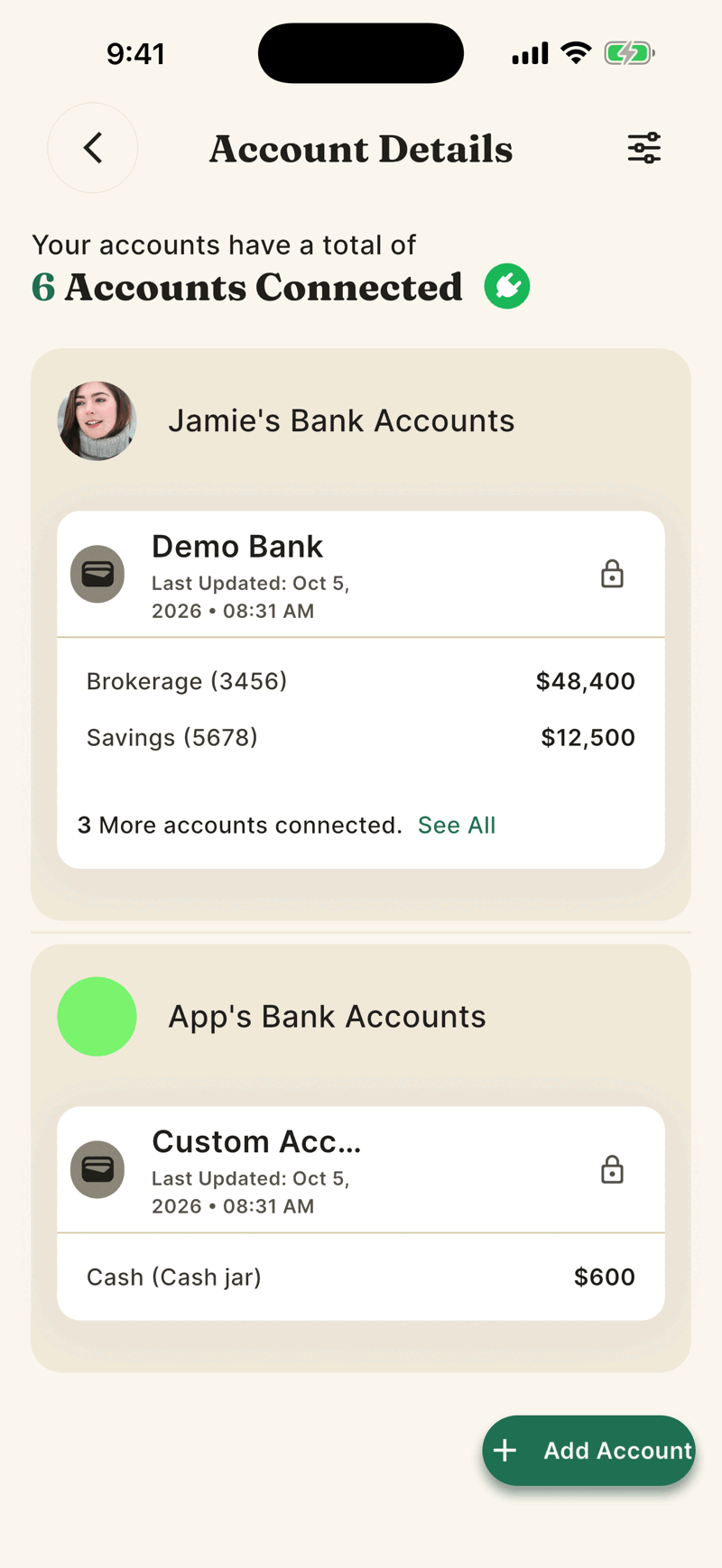
A lock icon means someone else linked that account. Tap it to see Linked by [Name] and Only [Name] can change or remove this account.
On accounts you own, the three dots open options such as Edit Account Balance (manual accounts), Update Account Owner, Reconnect Account and Delete Account.
Two kinds of owner
| Role | What it controls |
|---|---|
| Account owner | The person who linked a bank or made a manual account. They can edit, reassign (Update Account Owner) or delete it. The family owner has no special power over it. |
| Household owner | The person who sent the first invite. They can remove members and use Transfer Ownership. Other members can leave. |
Transfer household ownership
- Open Settings. In the Family section tap Transfer Ownership.
- Pick a member who has accepted. Pending people appear but cannot be chosen.
- You see Ownership transferred to [Name].
The Family section of Settings only appears when you are in a household.
Account owner and Whose swipe
An account's owner decides who the account is attributed to. A transaction's Whose swipe? tag is a separate, per transaction choice that anyone can change.